Local-first AI context suite
Turn files and folders into AI-ready Markdown.
ContextDeck converts PDFs, Office files, source code and 40+ other formats into clean Markdown and reusable context packs for ChatGPT, Claude, Gemini and Copilot — fully local on Windows.
Free version available. No credit card required. Works locally on Windows.
Local-first
Documents
Context Packs
Exportable
PDF
Client Agreement
42 pages
XLS
Q3 Forecast
12 sheets
ZIP
Context Pack
Ready for AI
AI Context Deck
# Executive Context
- Key decisions
- Risks
- Source index
- Suggested prompts
1Drop a folder
2Convert locally
3Send clean context to AI
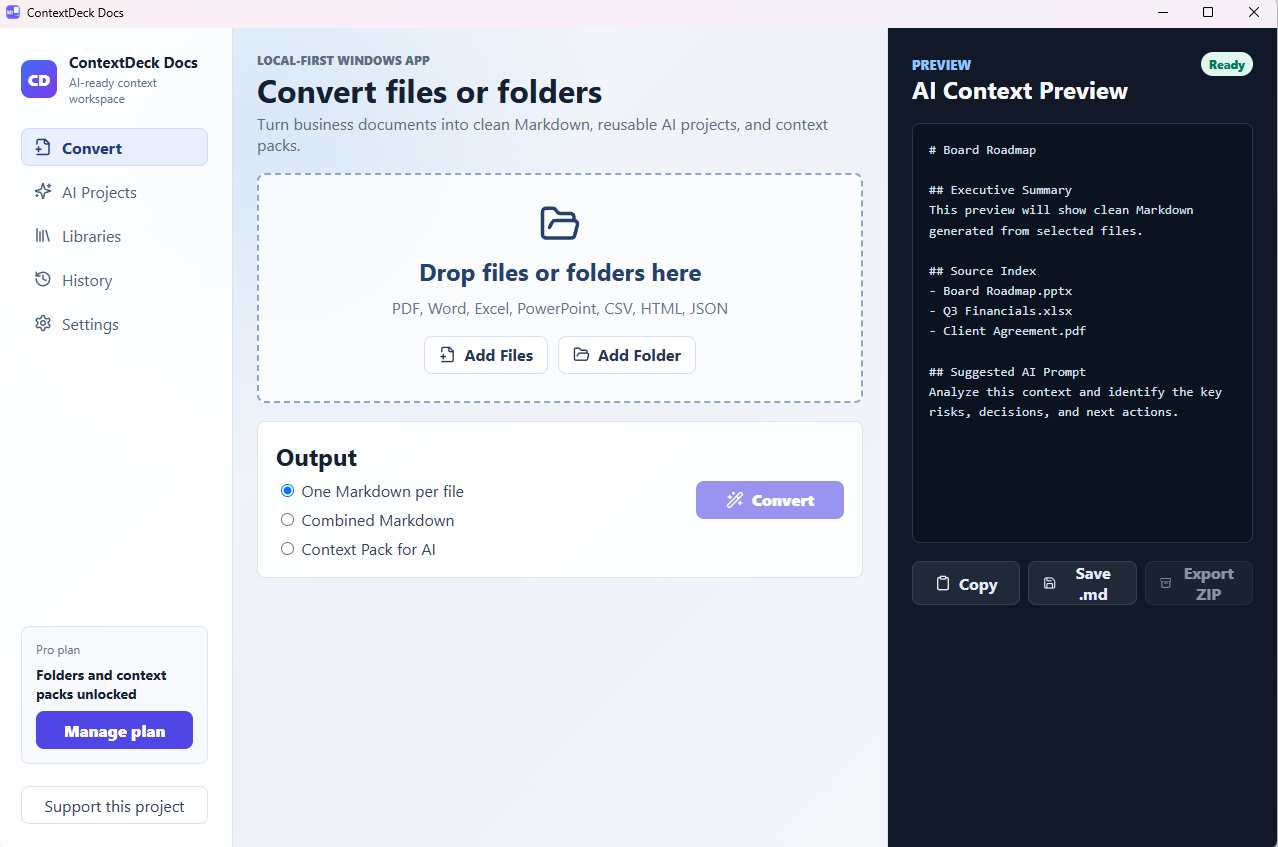
See ContextDeck working
A real workflow, not just a promise.
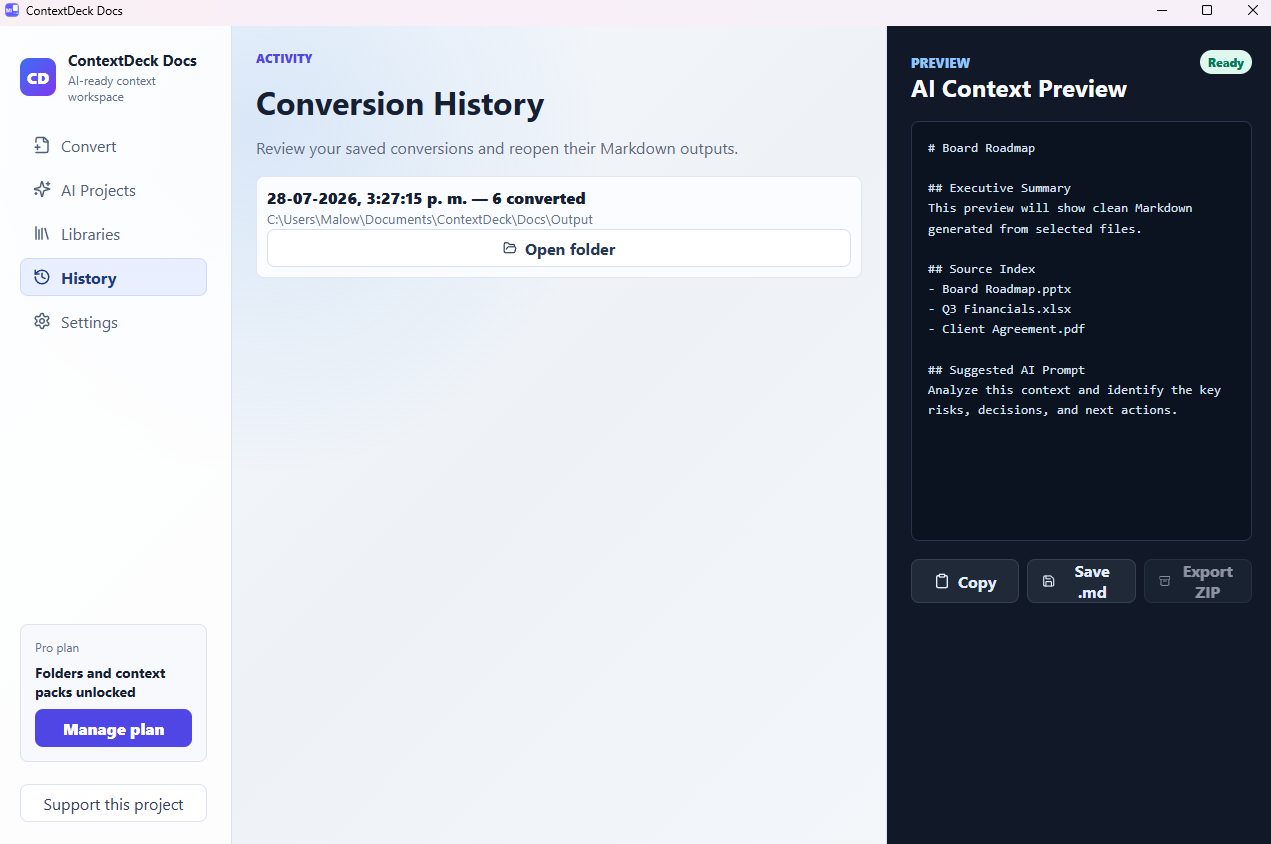
Drop a folder, convert locally, review the AI Context Preview and open the output folder with clean Markdown files ready for your AI assistant.
The bottleneck
AI is powerful. Your context is the constraint.
Documents are trapped in formats. Folder structures become difficult to explain to AI. Rebuilding context by hand slows every workflow. ContextDeck gives your AI the clean context it needs.
Read the guide: How to convert PDF to Markdown for ChatGPT →
Proof of value
Document conversion engine
Convert documents into AI-ready context.
PDF
DOCX
PPTX
Markdown
Context Pack
Context Pack
ContextDeck Docs
From business files to AI-ready Markdown.
Convert PDF, Word, Excel, PowerPoint, source code and entire folders into structured Markdown that AI tools can actually use.
- Drag files or folders into the app
- One Markdown per file, combined Markdown or context packs
- AI Context Preview, Copy, Save .md and Export ZIP
Now supporting 40+ formats
Not just office files. Your whole project.
ContextDeck now reads source code, config files and notes too — feed your AI a real project, not just a folder of business documents.
The workflow
Drop raw information. Get structured context.
ContextDeck is designed for non-technical users: drop files or folders, preview the Markdown, then copy, save or export the result for your AI workflow.
Before / After
From scattered inputs to a clean AI handoff.
Scattered files and manual copy-paste
- PDFs, slides and spreadsheets in different folders
- Rebuilding the same context for every AI session
- Copy-paste context that breaks AI answers
Structured context ready for AI
- Markdown outputs grouped by source
- AI-ready context packs for repeatable workflows
- Copy, save .md, or export ZIP from one local app
Trust layer
Private by design. Local by default.
ContextDeck is built for sensitive business knowledge. Your files stay on your computer unless you choose to copy, save or export them.
No unnecessary uploads
No black-box processing
No vendor lock-in
Built for knowledge work
For teams and professionals who live inside information.
Case: Consulting
40 client files become one clean context pack.
A consultant preparing for a board review drops the entire project folder — decks, financials, contracts — into ContextDeck. In minutes, everything converts to Markdown and bundles into a single context pack ready to paste into ChatGPT or Claude. No manual copy-paste, no reformatting.
- Batch folder conversion, not one file at a time
- Context Pack keeps source index and suggested prompts
- Works with the files you already use: PDF, Word, Excel, PowerPoint
"I used to spend an hour just prepping files before I could even start the analysis. Now it's one drop."
Case: Legal & compliance
Review sensitive contracts without uploading them anywhere.
A compliance reviewer needs to check a batch of vendor agreements for risky clauses. Uploading client contracts to a cloud tool isn't an option. ContextDeck converts everything locally, and only the resulting Markdown — never the original files — gets pasted into an AI assistant if the reviewer chooses to.
- 100% local conversion, no file upload required
- You choose exactly what gets pasted into an AI tool
- Safe for confidential client and vendor documents
"The files never left my machine — that's the only way legal signs off on using AI tools at all."
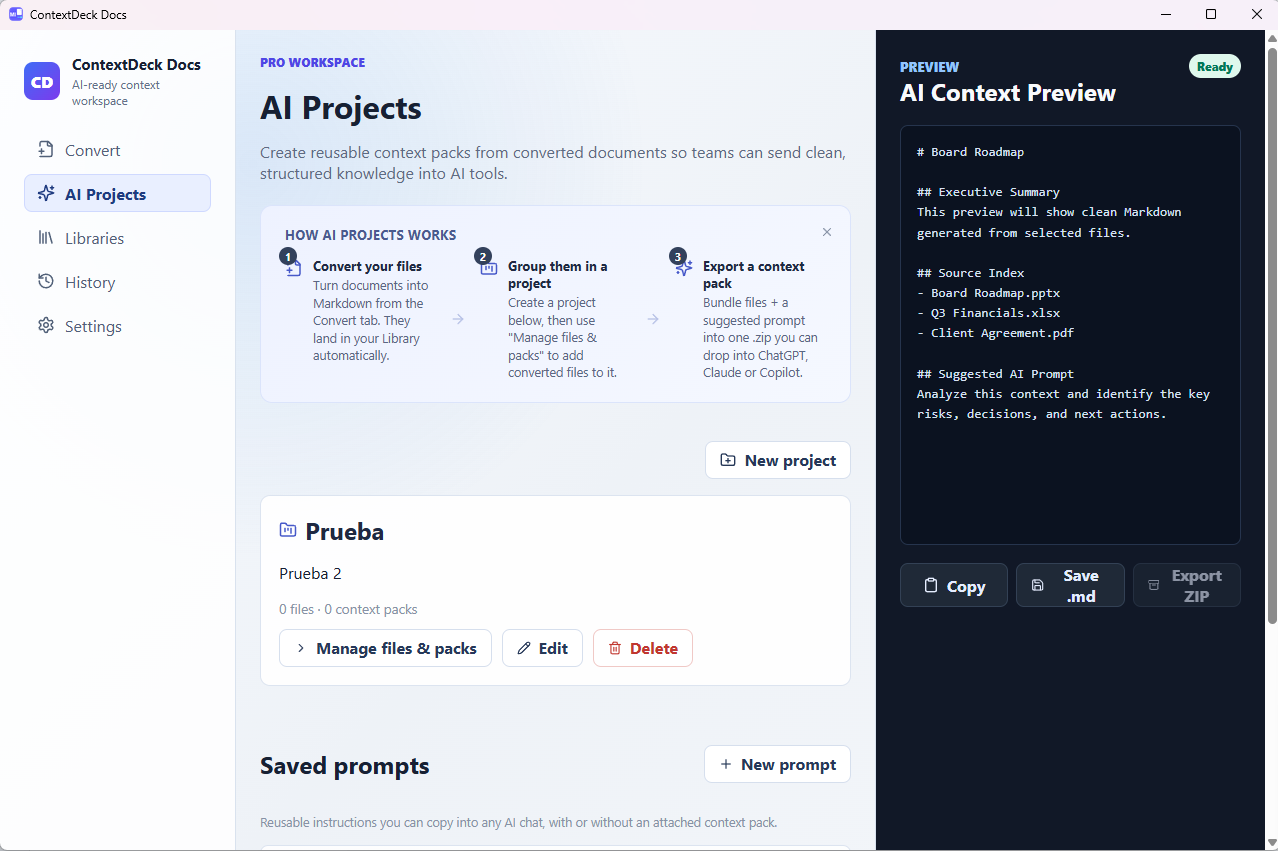
AI Projects (Pro): group files from any of these workflows into one exportable context pack.
Plans
Start free. Upgrade when context becomes your workflow.
Free
For occasional conversions and personal testing.
$0- Up to 3 files per batch
- Up to 30 conversions per month
- Local Markdown export, no account needed
Pro
For professionals using AI every week.
$3/month- Unlimited files, batches and folders
- Unlimited monthly conversions
- Local OCR for scanned or photographed PDFs (English & Spanish)
- Audio & YouTube transcription to Markdown
- Combined Markdown, history and AI context packs
Checkout and billing are handled by Paddle, our merchant of record.
Questions
Before you download.
Does it convert photos of books or scanned PDFs?
Yes, on Pro. ContextDeck reads the text with local OCR, in English and Spanish, without uploading the file anywhere.
Can it transcribe audio or YouTube videos?
Yes, on Pro. Drop an audio file or paste a YouTube link and get a clean Markdown transcript. Audio transcription runs on your machine.
Why is the installer around 120 MB?
ContextDeck Docs ships its own local conversion engine so it works fully offline. Nothing extra needs to be installed separately.
Where can I download ContextDeck Docs?
Only from the Microsoft Store — it's the official, Microsoft-certified distribution channel for Windows, and it keeps the app updated automatically.
Does anything leave my computer?
No, unless you choose to export or share a result. Conversion runs locally; the only network calls are license checks with Paddle when you activate Pro.
Why not just upload files directly to ChatGPT or Claude?
You can, for a single file. ContextDeck is for folders, batches and reusable context packs you can send to any AI tool, without uploading sensitive files anywhere.
Isn't this just Microsoft's MarkItDown with a UI?
Honestly, it draws on the same open conversion techniques as tools like Microsoft's MarkItDown — we're not hiding that. The difference: no Python, no command line, no cloud API key to set up. MarkItDown's own OCR plugin sends images to an LLM vision API you provide; ContextDeck's OCR runs 100% locally, with drag-and-drop batch processing and a native Windows app. If you're comfortable scripting Python, the free library may be all you need — ContextDeck is for everyone else.
Support
Need help? Start here.
Most issues are solved in a minute. If not, our team replies to every message within one business day.
"I entered my license key and got an unknown page."
Activate your license from inside the app: open ContextDeck Docs → Settings → Activate License, and paste the key from your purchase confirmation email. Purchases are processed by Paddle, our merchant of record — the receipt email comes from Paddle, but the license key itself is only activated inside the app.
"I'm on Pro but some features still say Coming soon."
Make sure you're on the latest version (Settings shows your current version) and that the license shows as Active. Some features roll out progressively — if one is still marked Coming soon after updating, contact us and we'll prioritize it.
"How do I update to the latest version?"
The Microsoft Store keeps ContextDeck Docs updated automatically. To check right now, open the Store app, go to Library, and select Get updates.
"I want a refund or need to cancel."
Read our refund policy or email us directly — refunds are processed manually within a few business days.
Download
Give your AI the context it needs.
Download ContextDeck Docs for Windows and turn your files and folders into reusable AI context.
Free version available. No credit card required.
Contact
Talk to the team behind ContextDeck.
Questions about Pro or local deployment? Send a note and your email app will open a draft to [email protected].
This opens your default email app with your message prefilled.